Portfolio·Works·CRWizard

CRWizard Feed Management

B2B SaaS E-commerce Dashboard Data-heavy UI

A feed platform that pushes thousands of products to Google, Facebook, TikTok and price-comparison channels. The power was already there — what was missing was the ability to wield it. I gave the rule types a taxonomy, pulled channel mapping into one table, and moved the preview inside the build.

Role
UI/UX Design
Platform
Web App · Dashboard
Industry
E-commerce · Marketing Tech
01IMPACT & OUTCOMES

From an expert-only tool to a panel anyone can run.

0+
Screens
I designed every flow in the panel, from rule building to reporting.
0+
Rule Types
From filtering to segmentation, maths to deduplication — I mounted them all on one IF-THEN skeleton.
0
Modules
Import, Rule, Mapping, Preview, Export, Dashboard, Notifications and Settings — all mounted on one backbone.
Rule-type taxonomy Data-dense table design Multi-channel field mapping Dashboard design system
02PROBLEM

A powerful tool is powerless if nobody can use it.

I had to solve these within the following constraints
14+ rule types Thousands of rows A different schema per channel Experts and novices, one panel

The product could do anything: merge sources, transform data through 14+ rule types, map to each channel's own schema. None of that power was visible — users couldn't know what would happen before they saved.

Business Goal

Appealing only to expert users capped growth; onboarding cost was high.

User Problem

Users couldn't see a rule's outcome while building it, and only discovered a missing required field when the export broke.

Design Challenge

Reducing complexity without cutting power: presenting 14 rule types and multi-channel mapping without drowning the novice or slowing the expert.
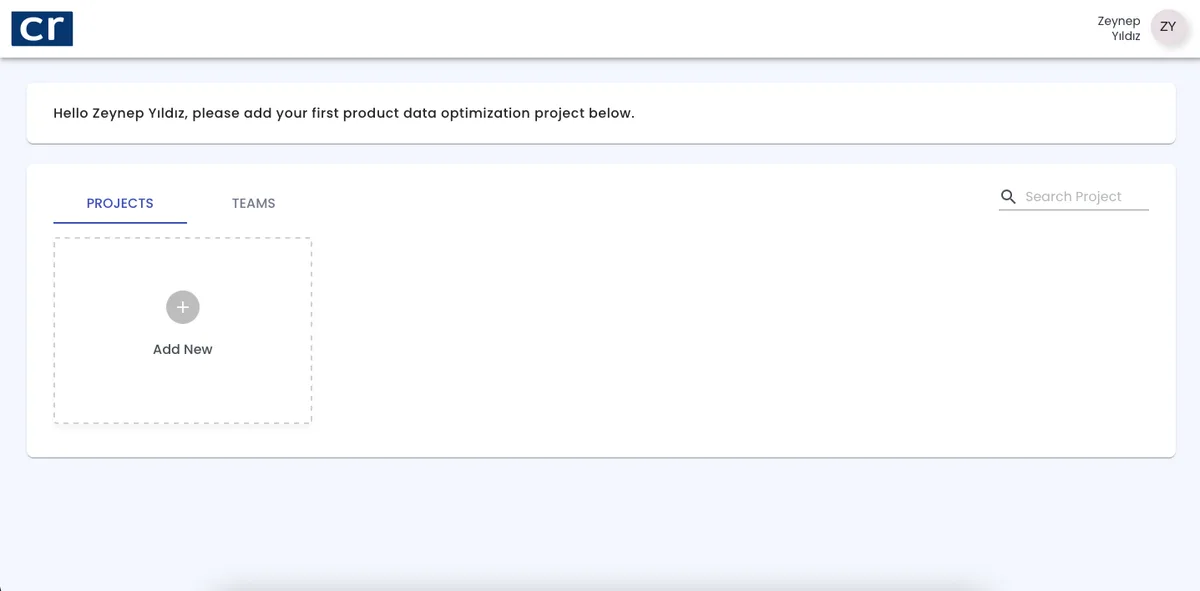
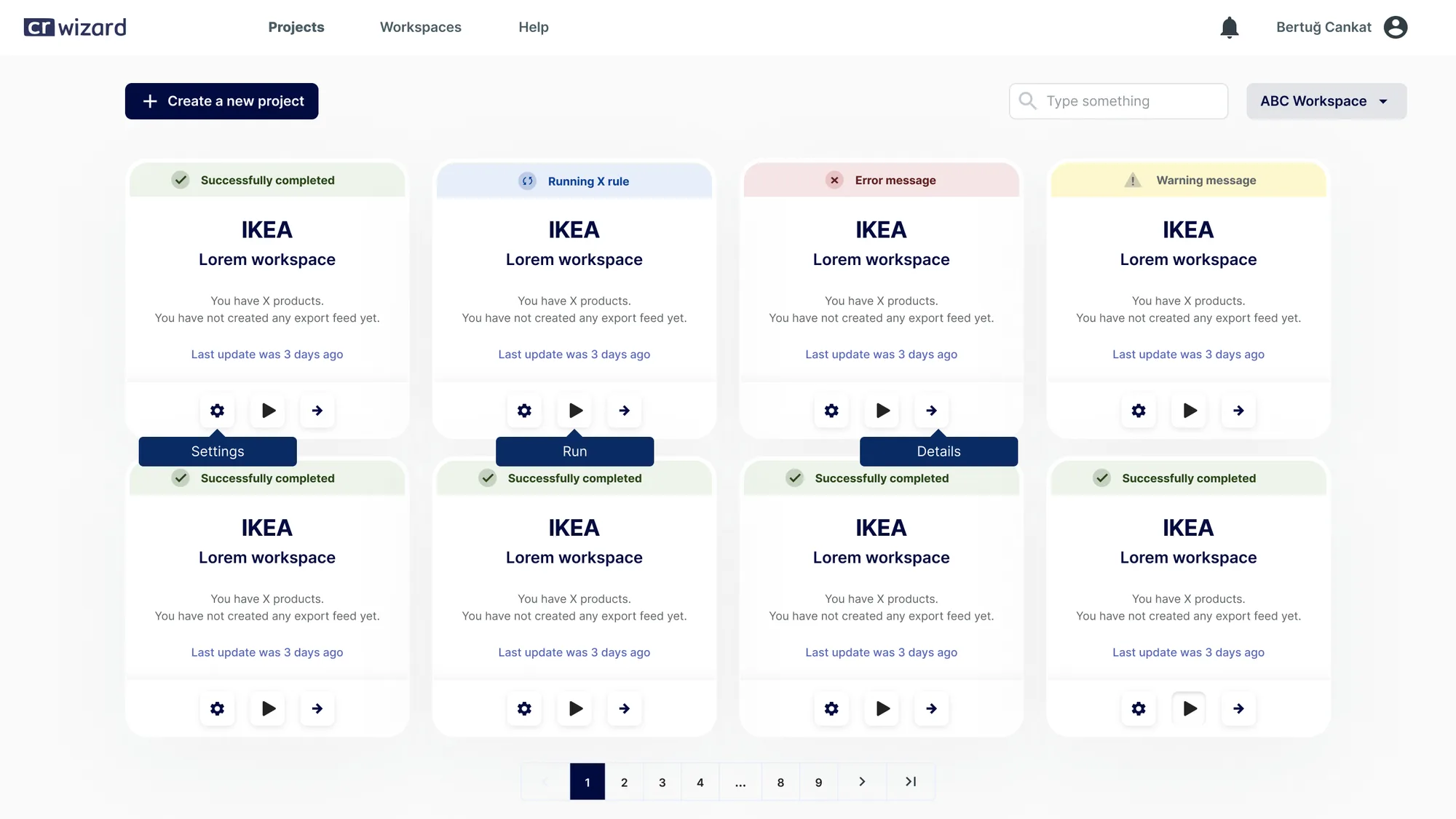
What I started with, where I took it
CRWizard — Önceki arayüz

Before

Problem
Everything lived on one flat plane: brands, projects and feeds were tangled together. The only way to tell which job belonged to which brand was to read its name.
CRWizard — Yeni arayüz

After

What changed & why
I rebuilt the structure from scratch: every brand got its own workspace, every job its own project. Users now see where they are before deciding what to do.
03RESEARCH & DISCOVERY

I watched who builds a rule, and how.

This wasn't a beautification job. First I had to take the rule engine's logic apart, then find where users collided with it.
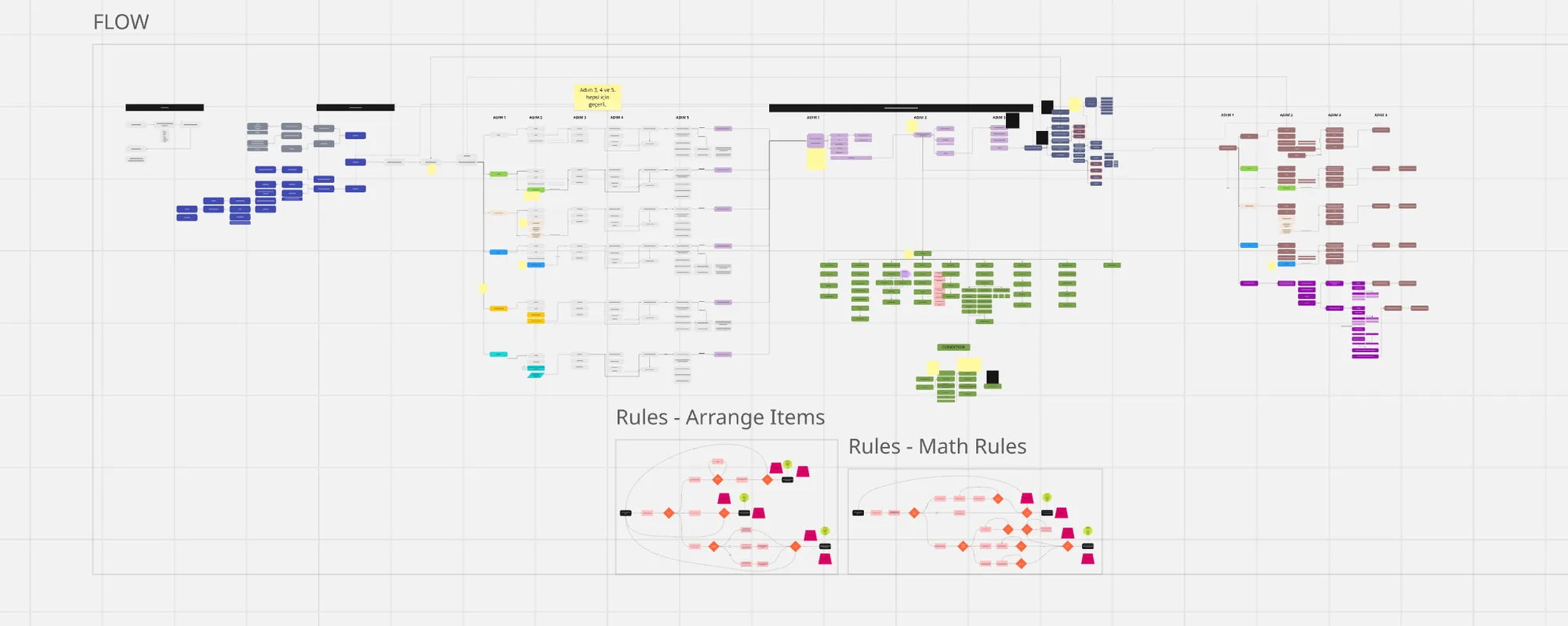
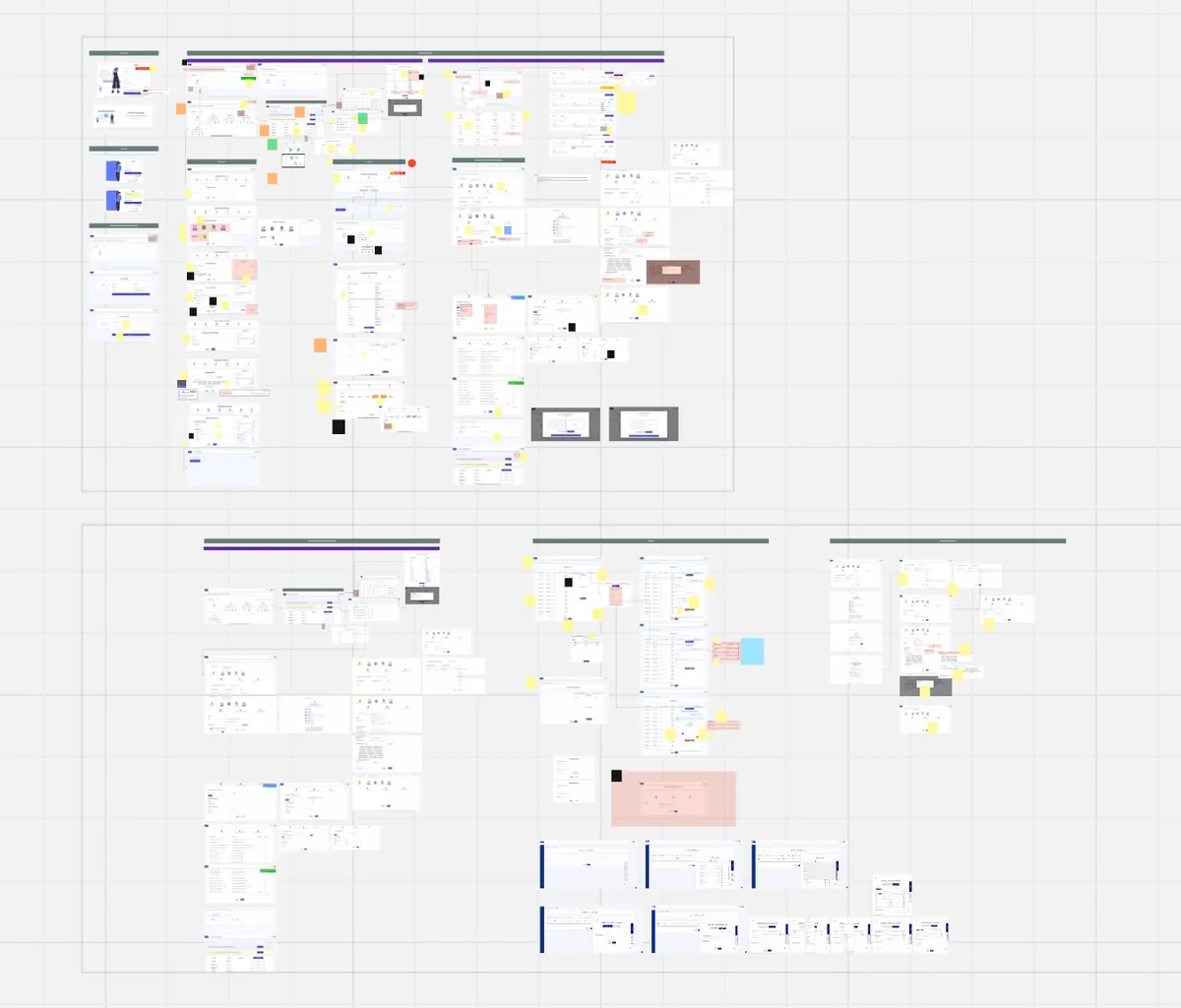
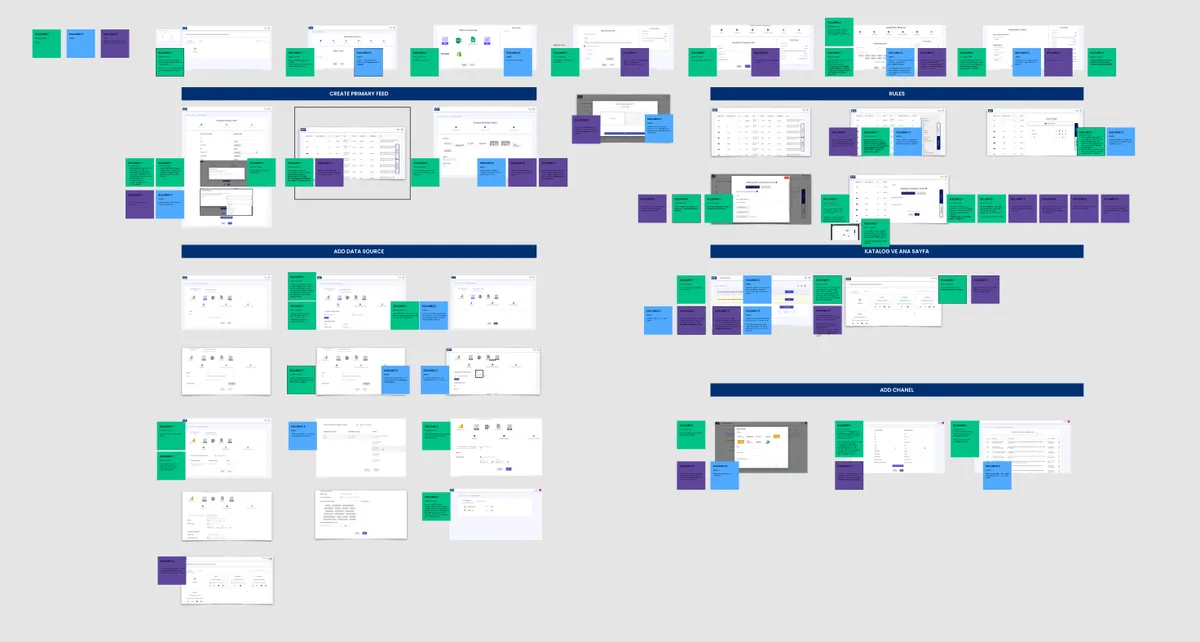
CRWizard — Ürün & Sistem Analizi
Product & System Analysis
I catalogued every rule type, the multi-source merge, and each channel's required-field schema.
Source → rule → mapping → channel
CRWizard — Uzman Analizi
Expert Review
I reviewed the panel heuristically and flagged the steps producing the most errors.
Visibility · feedback · error prevention
CRWizard — Kullanıcı Gözlemi
User Observation
I watched users build a real rule end to end and noted every hesitation.
Hesitation · backtracking · abandonment
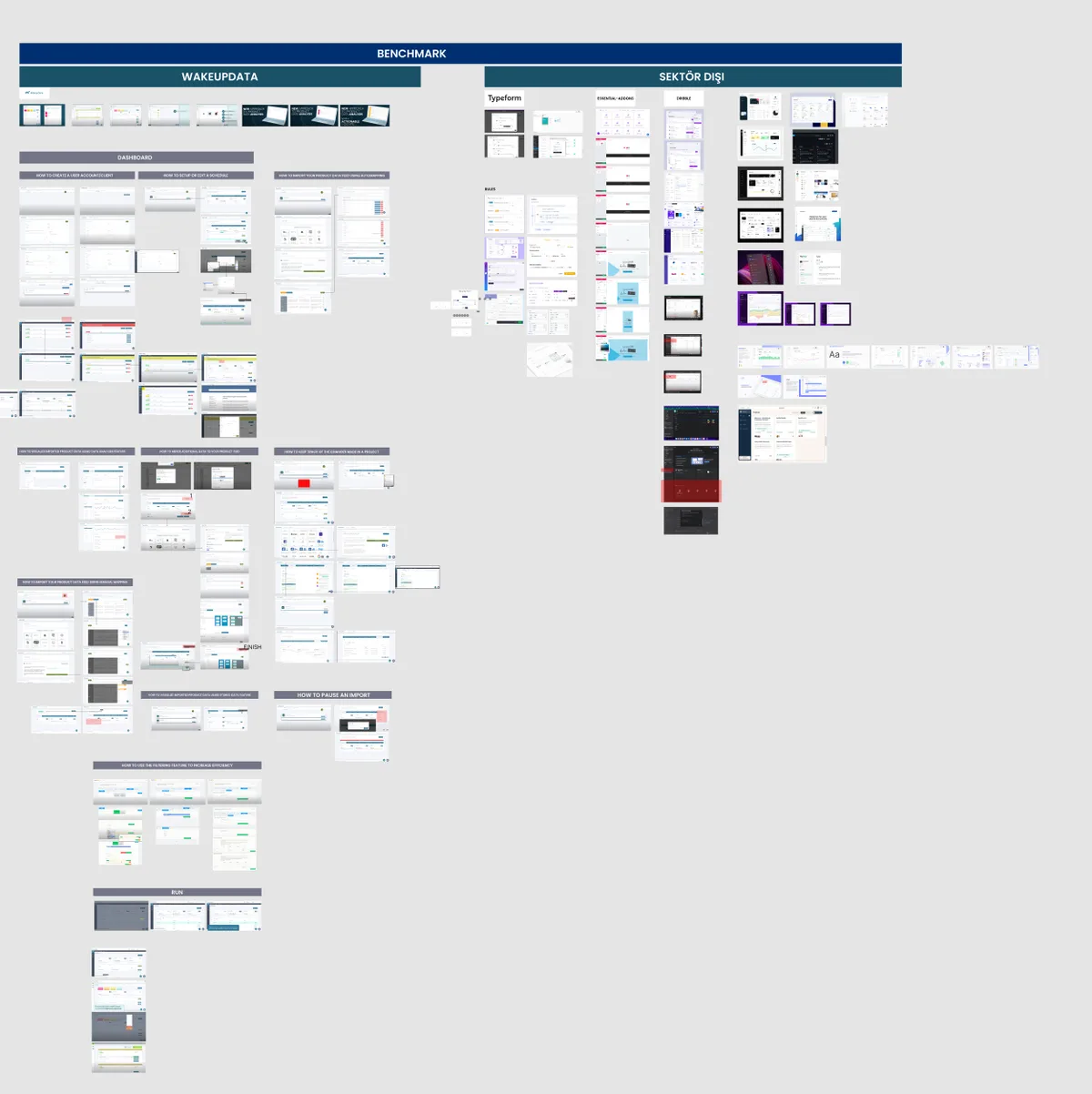
CRWizard — Benchmark
Benchmark
I compared how ad and feed-management tools structure rule building.
Wizard · form · visual editor
CRWizard — İç Ekip Görüşmeleri
Stakeholder Interviews
With support and sales I gathered the most frequent questions and reasons for churn.
Support tickets · onboarding blockers
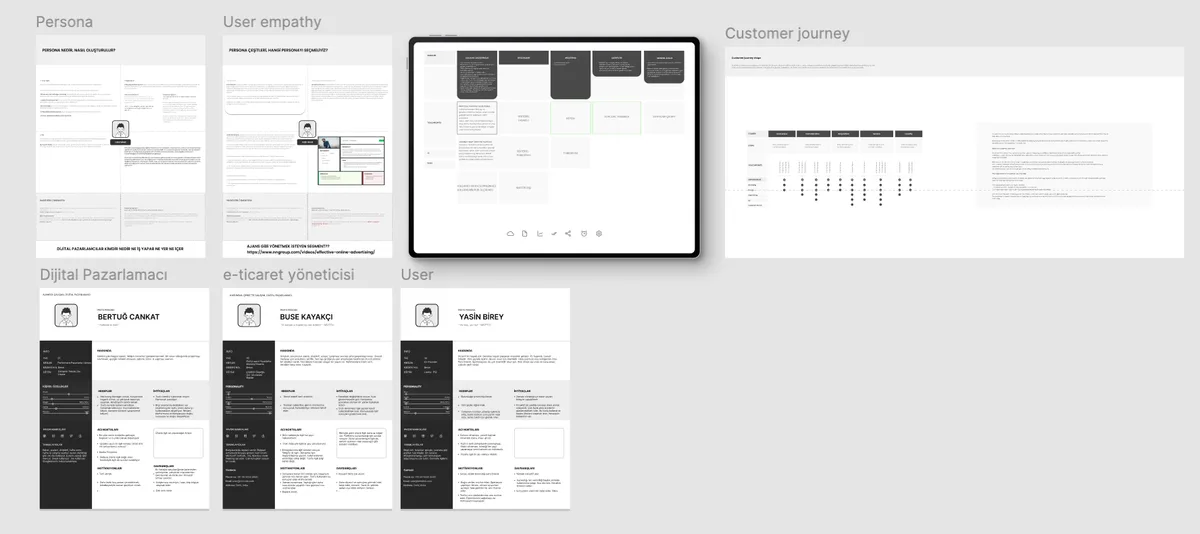
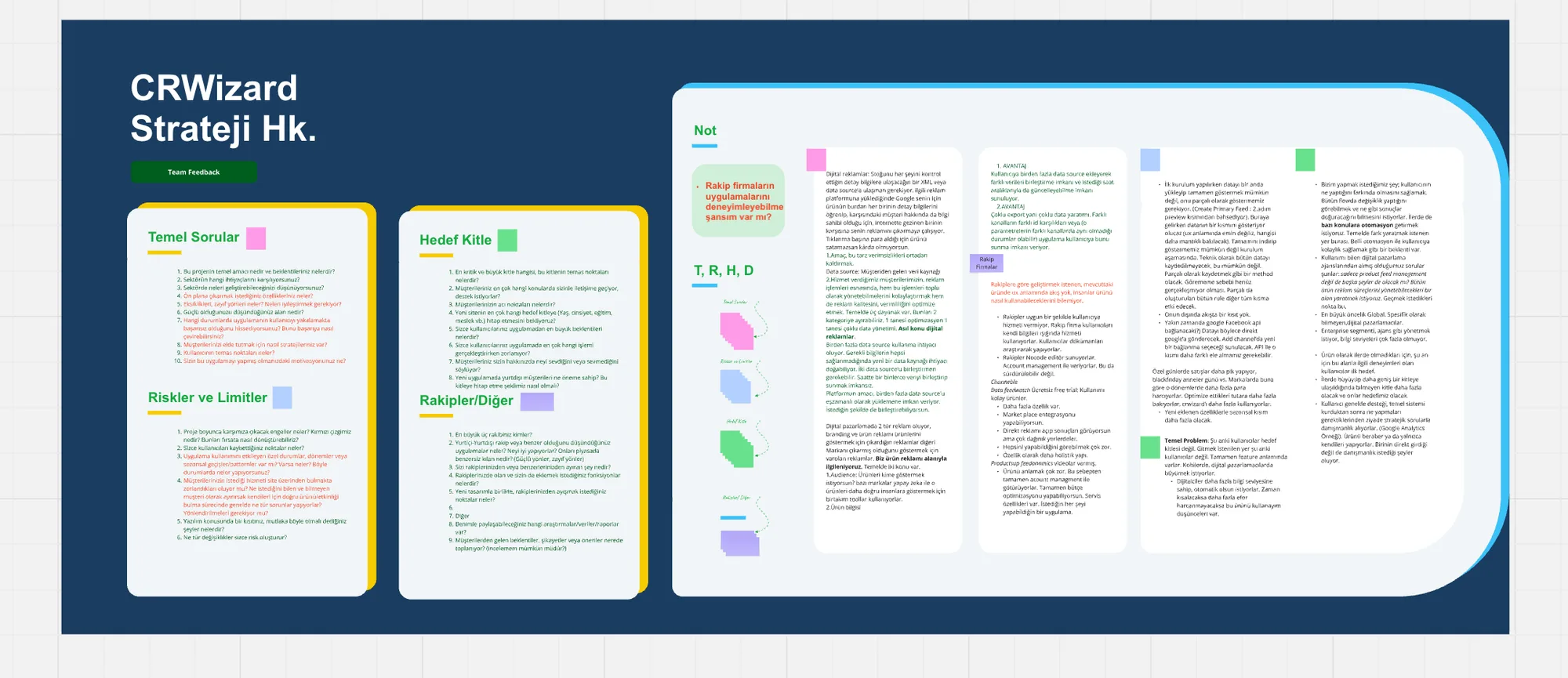
CRWizard — Sentez & Strateji
Synthesis & Strategy
I reduced the findings to one principle: the user must see the outcome before saving.
Findings → principle → interface
The four findings the research surfaced
My role

I ran discovery: I took the rule engine apart, observed users building rules, and reduced every finding to a single design principle.

04BUSINESS GOALS

The goals the design served.

Every design decision tied back to one of these four goals.

05USER TYPES

One panel, three levels of mastery.

Rather than splitting the product in two, I built a progressive-disclosure strategy that carries all three levels in one panel.

CRWizard — Kullanıcı tipleri

The Store Owner

Not technical; just wants products live on channels. Needs: ready templates and safe defaults.

The Marketing Specialist

Optimising channel performance. Needs: to see a rule's impact before saving it.

The Agency User

Running many clients at once. Needs: speed, bulk actions and depth in the table.

06USER FLOW & INFORMATION ARCHITECTURE

From raw data to publish, one backbone.

The product was never one rule form: source merging, the rule engine, channel mapping and monitoring were separate modules. I mounted them all on one backbone — learn it once, find the same logic everywhere.

01
Source
XML, CSV, Google Sheets, Shopify… A main source plus additional sources, merged on a join key.
02
Rule
Filter, segmentation, text, maths, grouping… 14+ rule types transform the feed.
03
Mapping
Every channel has a different required schema; fields map to many channels on one screen.
04
Preview
The product table after rules and mapping — visible before anything goes live.
05
Publish & Monitor
Pick the channel, generate the feed URL; threshold alerts and performance reporting take over.
CRWizard Project
Data
  • Import Sources
  • Rule
  • Mapping
Publish
  • Preview
  • Export Feeds
  • Settings & Schedule
Monitor
  • Dashboard
  • Notifications
  • Analytics Report
My role

I rebuilt the rule-building flow and the panel's information architecture: I split one form into four steps and put the preview at the centre of the flow.

07DESIGN DECISIONS

Why I made these decisions.

Each decision answers a discovery finding. Not aesthetics — reasoning.
CRWizard — Kural Motoru
01Mounting 14 rule types on one IF-THEN skeleton
Problem
Filter, segmentation, text edits, maths, grouping, deduplication… Each rule type arrived with its own form; users had to learn a new interface every time.
Alternatives
(a) A separate screen per rule type, (b) cram everything into one giant form, (c) a shared IF-THEN skeleton, a rule-type taxonomy, and a 'custom code' escape hatch for power users.
Why this
(c): Grouping rule types by behaviour showed they all ask the same three questions: on which products, on which field, do what. The taxonomy came from there.
Result
Learn one rule type and you've learned the other thirteen — while the expert can still drop into custom code.
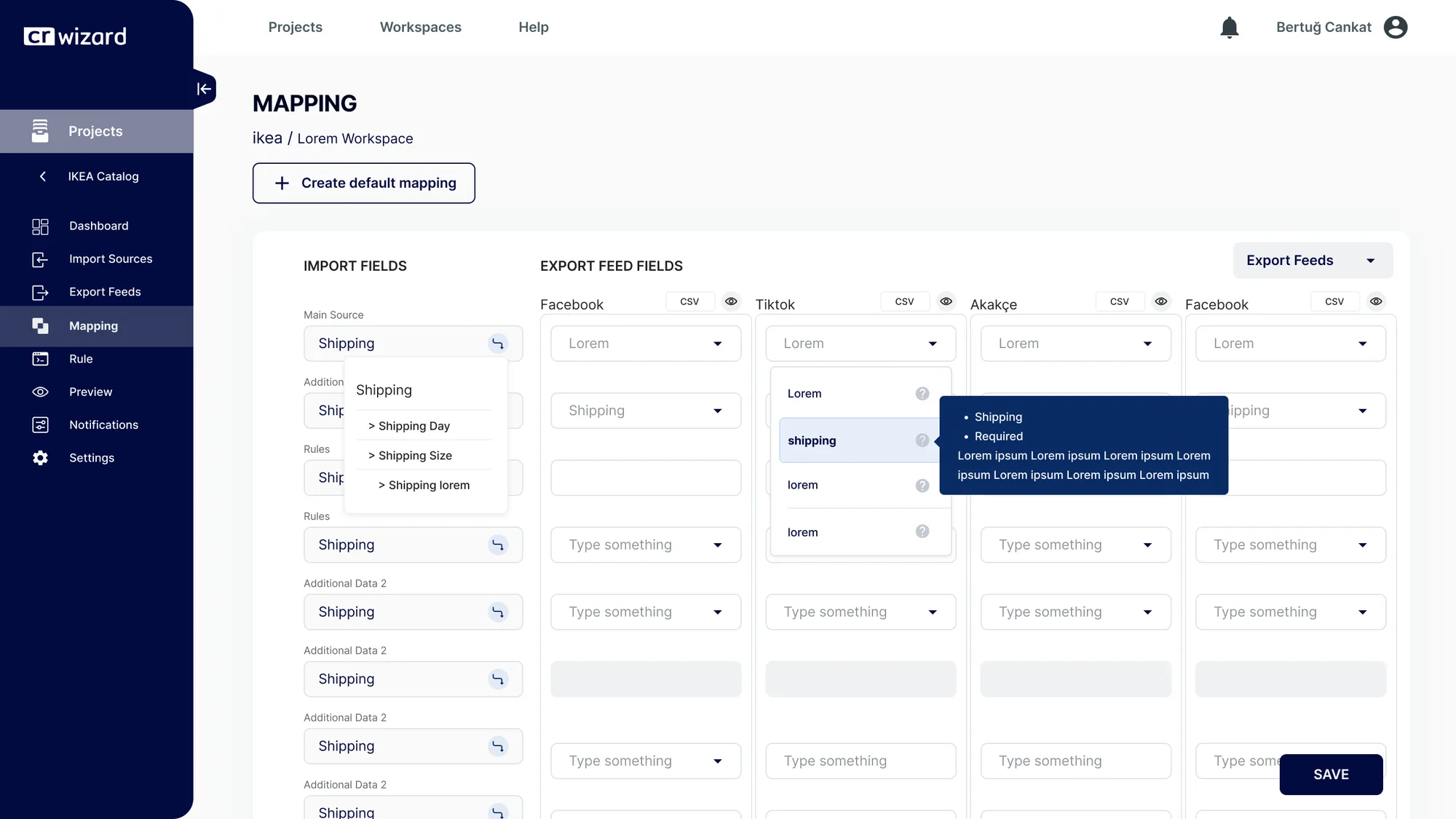
CRWizard — Alan Eşleme (Mapping)
02Turning channel mapping into one multi-channel table
Problem
Every channel has a different required-field schema. Mapping per channel meant doing the same job four times over.
Alternatives
(a) A mapping screen per channel, (b) auto-map then hand-correct, (c) import fields on the left, channel columns side by side on the right — up to four feeds at once, plus a default template.
Why this
(c): While mapping a field, users had to see what happened on the other channels — a missing required field breaks the export anyway. Comparison *was* the mapping.
Result
Missing required fields are visible at a glance, and the default template brings a new channel up in seconds.
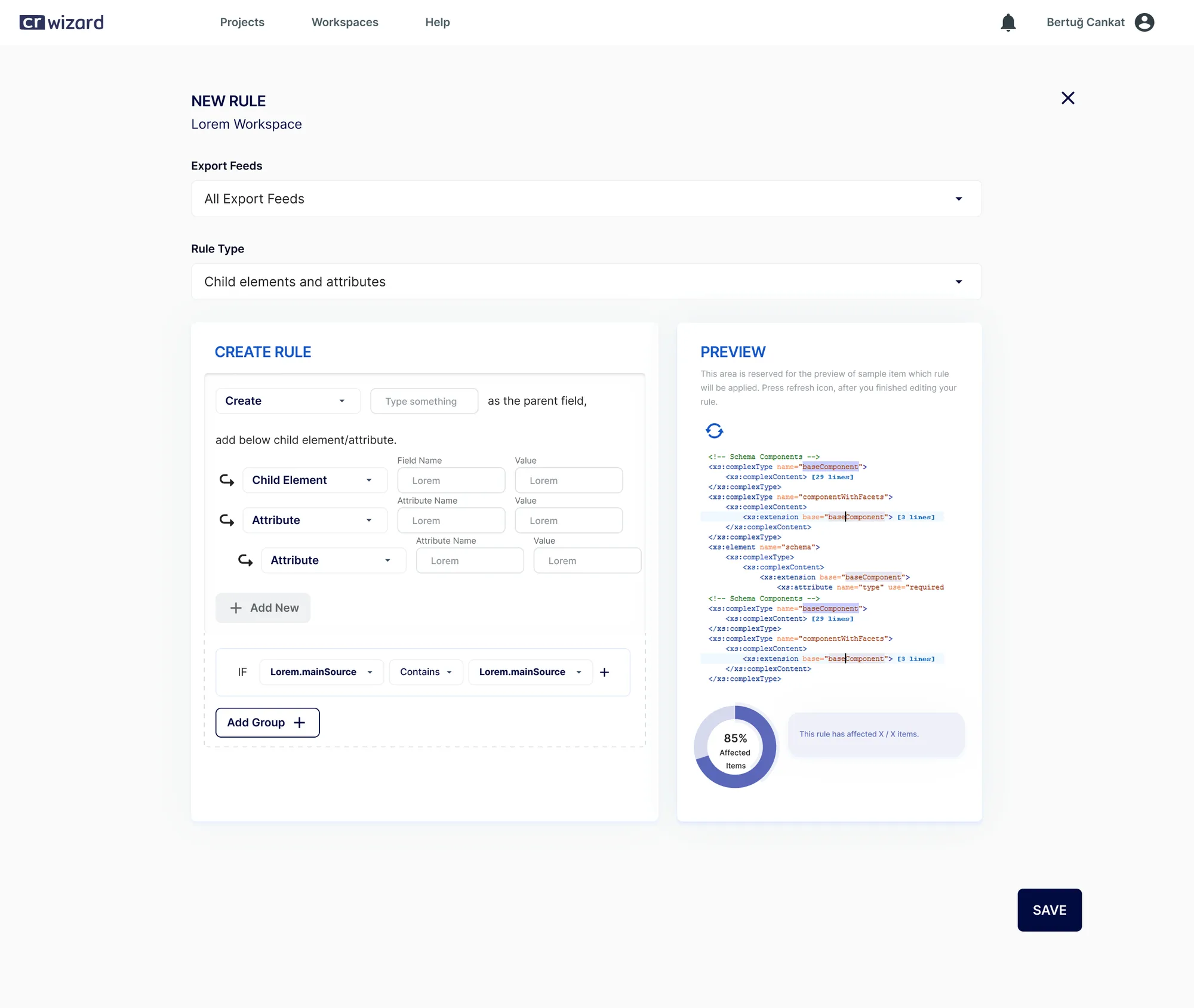
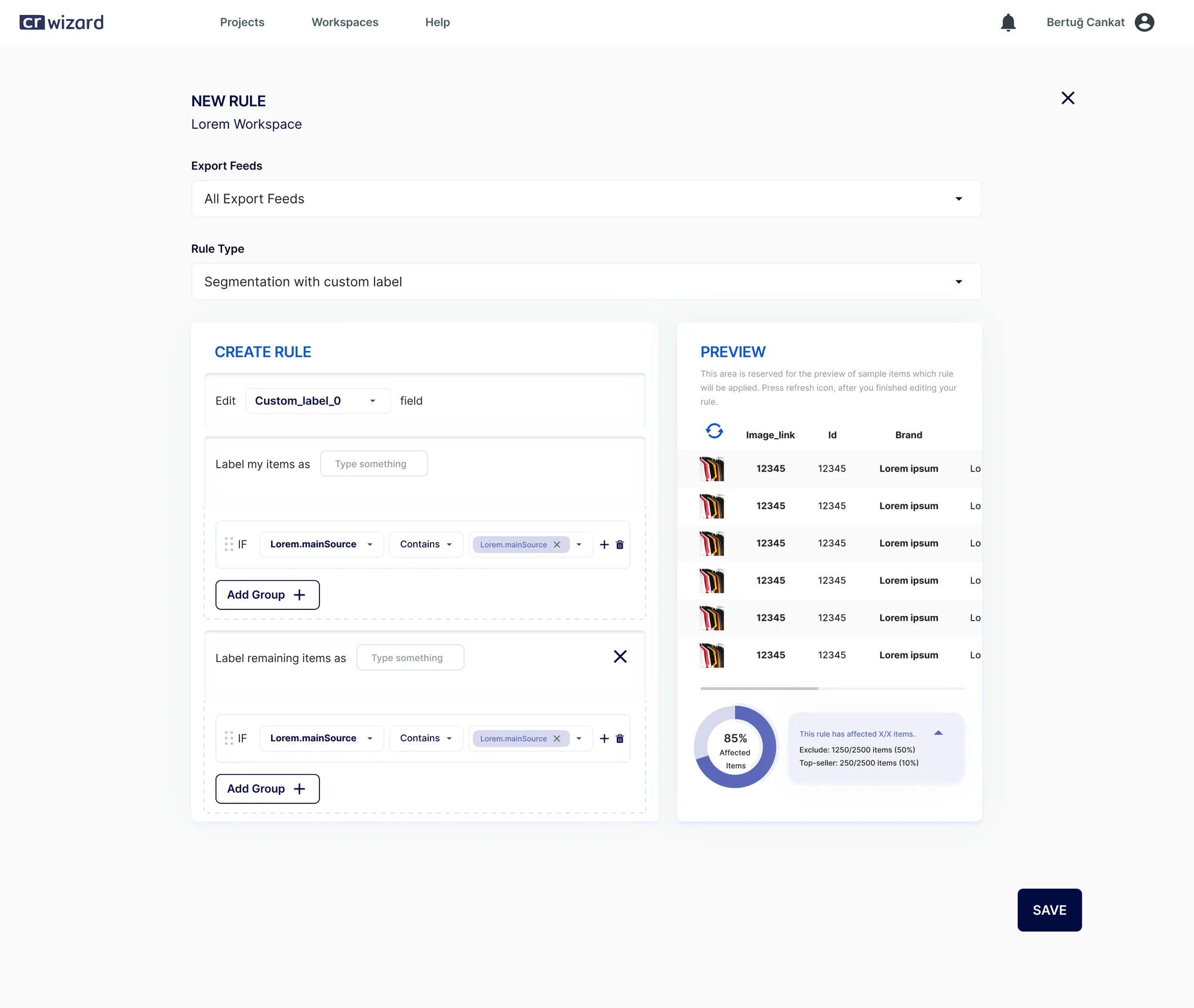
CRWizard — Önizlemeli Kural Modalı (v2)
03Putting the preview inside the build, not after it
Problem
Until the rule was saved, users couldn't see which products it would hit — errors only surfaced once the feed went live.
Alternatives
(a) A report after saving, (b) navigate to a separate preview page, (c) a live preview panel on the right of the rule modal.
Why this
(c): The first version had no preview and users hesitated to save. In the second I moved the panel inside the modal — the hesitation vanished.
Result
The result streams alongside as you write the rule — saving is no longer a gamble.
My role

I made all three calls: I synthesized the observations, weighed the alternatives with the product team, and implemented them in the UI.

08WIREFRAMES

From skeleton to final design.

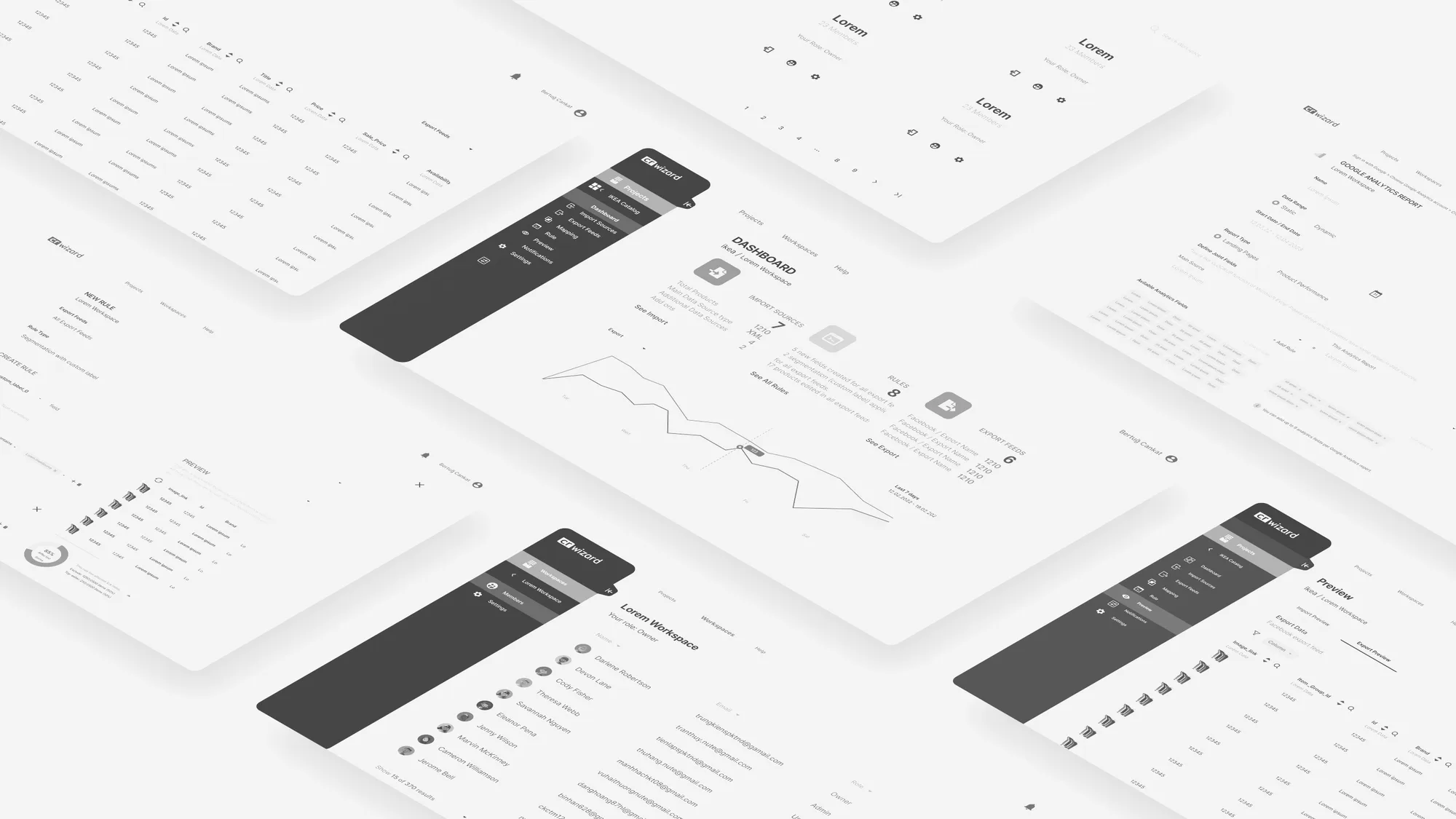
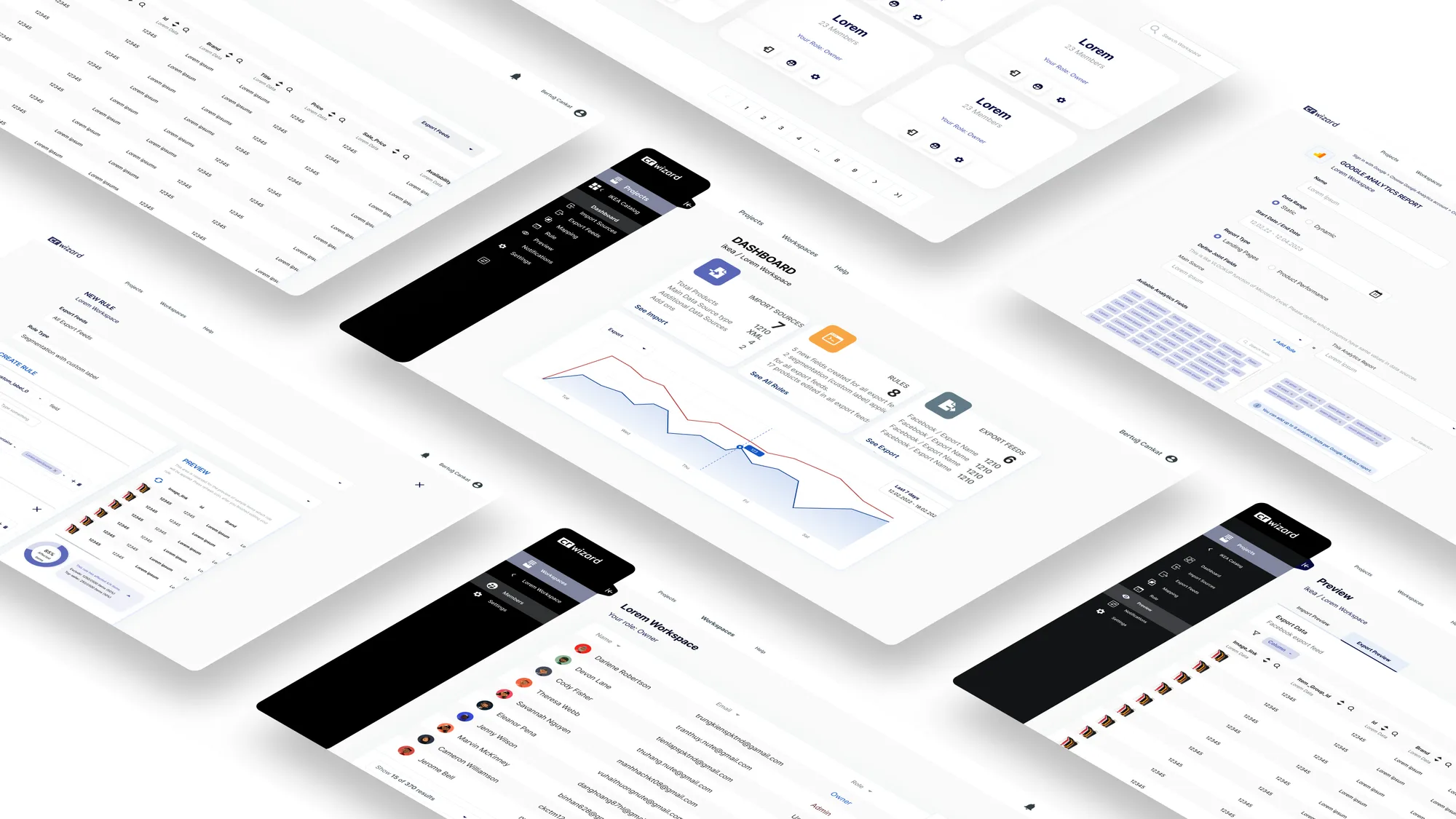
I validated the stepped flow before colour: at each step, what does the user know, what can't they see, and what can they undo?
CRWizard — Wireframe

Wireframe

Intent
Validating step order and feedback moments before colour arrives.
CRWizard — Final tasarım

Final Design

What changed
The same skeleton, brought to life with live preview and status colour.
09DESIGN SYSTEM

A panel language that calms dense data.

In a data-dense interface colour isn't decoration, it's signal. I reduced the palette to states: blue for action, green for success, amber for warning, red for error — everything else neutral.

Aa
InterAligns in tables, reads cleanly in numbers
#3B5BDB
#5C7CFA
#12B886
#F59F00
#0C162C
COMPONENTS, GRID & STATES
Buttons
Publish Rule Preview Save Draft Disabled
Cards
Matched Products
This rule will update the price on 1,284 products.
Before you save
Channel Status
3 channels in sync, 1 channel has an error.
Inspect
Forms & States
Rule name Condition: category = shoes This condition matches no products
Draft Live Synced Error
Grid & Spacing
Numbers right-aligned · an 8px-based scale · status reduced to colour, everything else neutral.
My role

I built the panel's design system: I defined the table hierarchy, the status colours, the spacing scale and the component behaviours.

10SCREENS FROM THE PRODUCT

Three stops along the flow.

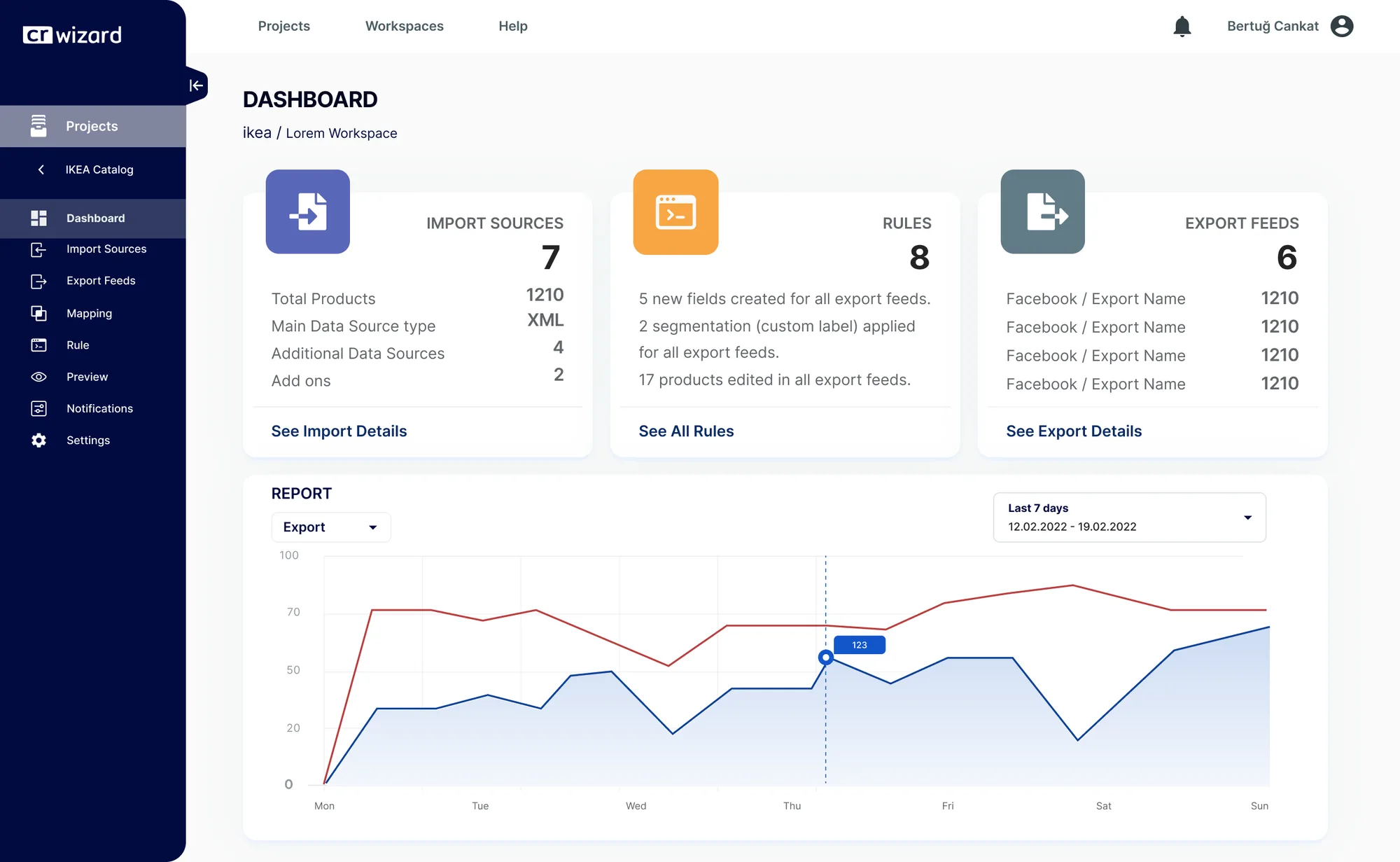
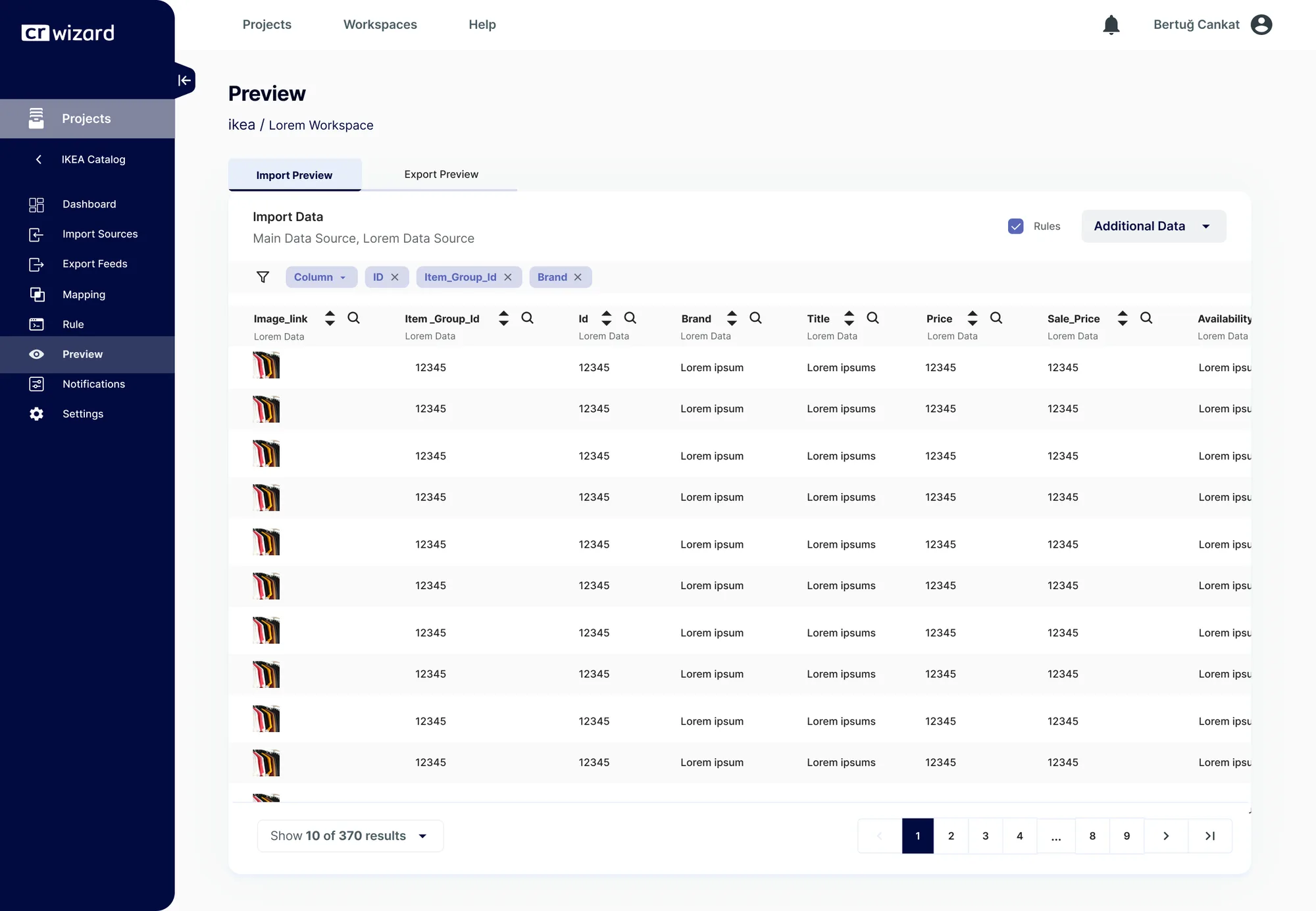
Bringing data in, seeing what comes out after rules and mapping, watching the feed's health — the product's spine lives in these three screens.
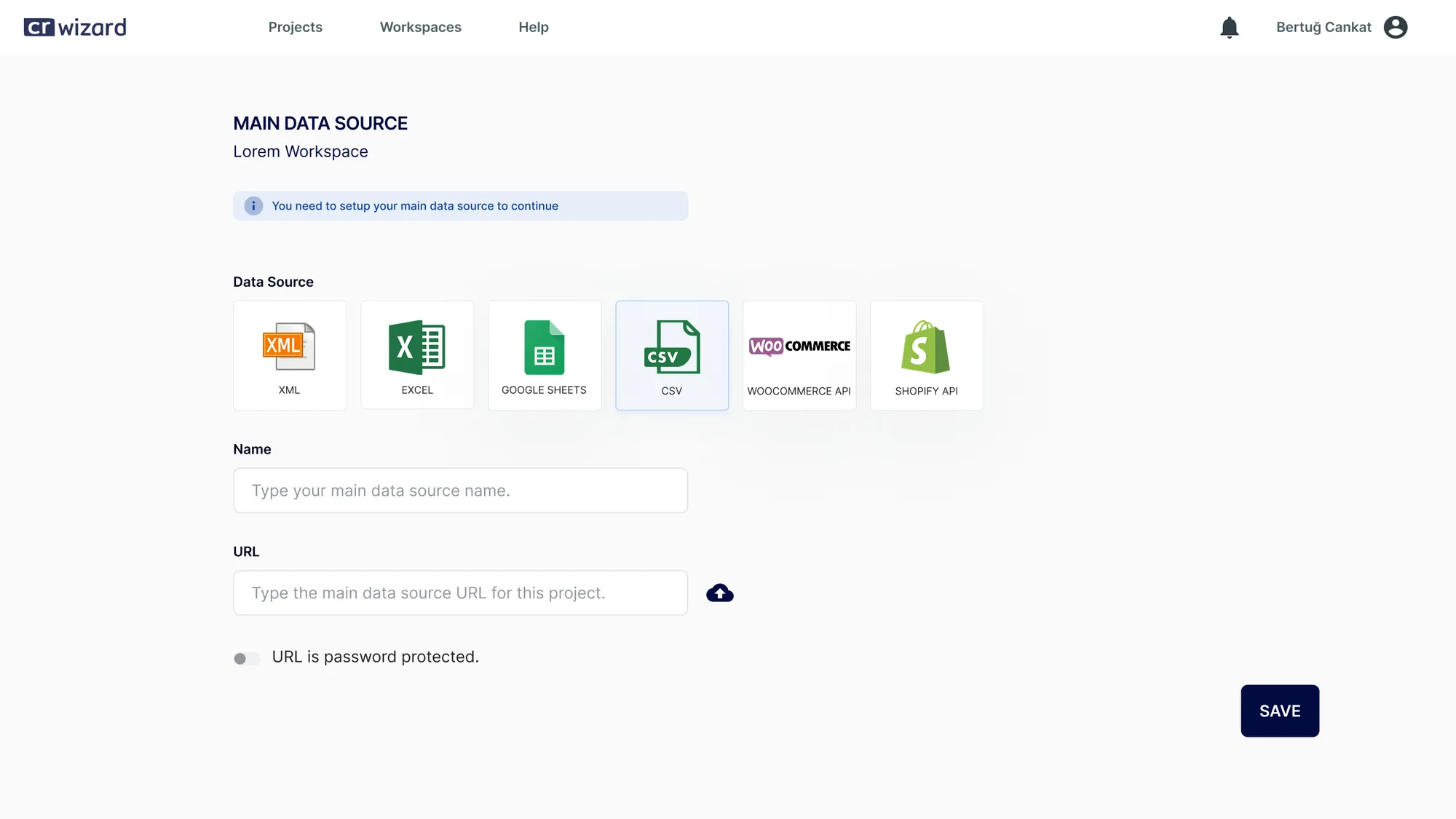
CRWizard — Yeni feed / veri kaynağı
CRWizard — Önizleme
CRWizard — Dashboard
New Feed · Preview · Dashboard
11REFLECTION & LESSONS LEARNED
"

You don't have to erase complexity — it's enough to make it visible and reversible.

This was my first serious encounter with a data-dense interface, and it taught me that users don't reject power — they reject uncertainty. Giving the rule engine a taxonomy was far harder than designing screens one by one, and far more durable. Starting over, I'd validate that taxonomy with usability testing before it shipped; back then I settled for observation.

01

Uncertainty tires people more than complexity

A user can do the hard thing. They can't do the thing whose outcome they can't see.

02

The table is design's first job, not its last

Wherever the user spends most of their time, that's where most of the design should be.

03

Taxonomy comes before screens

Instead of designing fourteen screens, the job was to find the logic the fourteen share.